
Why small businesses consider n8n
Many small businesses start with simple no-code automation. That is sensible. A form triggers an email, a lead enters a CRM, a task is created, and the team saves time.
But some workflows eventually need more control:
- Multiple branches.
- Data transformation.
- Error handling.
- Webhooks.
- Custom API calls.
- AI classification or extraction.
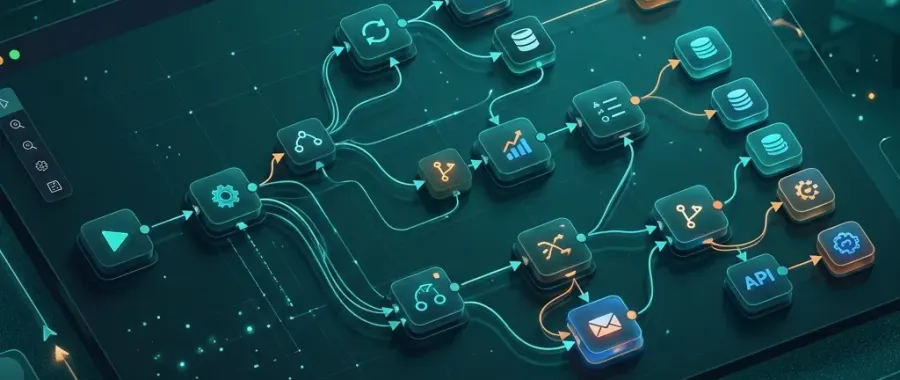
- A visual map of the whole process.
That is where n8n can be useful. n8n is a workflow automation platform that supports visual workflows and deeper control than many beginner-only tools. It also has official AI workflow documentation, including advanced AI concepts and AI agent nodes. If you are evaluating current features, start with the official n8n docs for advanced AI and the AI Agent node.
This article is not a hype piece. n8n is powerful, but it is not always the easiest first tool.
When n8n is a good fit
n8n is worth considering when the workflow has conditions:
- If the lead is from a high-value service, notify the owner.
- If the message contains a refund request, route to support.
- If the invoice is missing a customer ID, create a review task.
- If AI confidence is low, stop and ask for human review.
- If an API call fails, retry or log the issue.
If your workflow is a straight line, a simpler tool may be enough. If it starts to look like a decision tree, n8n becomes more attractive.
A practical comparison with simpler tools
In our Zapier vs Make for AI automations guide, the core idea is that the workflow shape matters. n8n belongs in the same decision process.
Use a simpler platform when:
- You need a fast first automation.
- The workflow has only a few steps.
- The team is non-technical.
- Templates cover the use case.
- Debugging needs are light.
Consider n8n when:
- You need custom logic.
- You want more control over data.
- You need to connect APIs directly.
- You expect the workflow to grow.
- Someone on the team can maintain a more technical system.
The right tool is the one the team can keep running.
Example 1: lead intake with AI classification
A lead intake workflow in n8n might look like this:
1. Webhook receives a form submission.
2. AI classifies the lead type.
3. The workflow checks urgency and service category.
4. High-value leads go to sales immediately.
5. Lower-priority leads receive a standard reply draft.
6. Missing details create a review task.
7. The CRM is updated.
8. The workflow logs the result.
This is a natural extension of the AI lead follow-up system.
Example 2: support triage
A support workflow can:
- Receive new tickets.
- Use AI to classify issue type.
- Search approved knowledge base content.
- Draft a reply.
- Escalate sensitive categories.
- Update the helpdesk.
- Record category counts for reporting.
This supports the process described in AI customer support automation.
Example 3: invoice and receipt handling
An invoice workflow can:
- Watch an email inbox.
- Detect invoice attachments.
- Extract vendor, total, due date, and invoice number.
- Match the vendor to a record.
- Create an accounting task.
- Alert a human if the amount is unusual.
For many small businesses, this is more valuable than a flashy AI chatbot.
Where AI fits inside n8n
AI steps are best used for messy information:
- Summarizing messages.
- Extracting fields from text.
- Classifying requests.
- Drafting replies.
- Comparing a request against a policy.
- Turning notes into tasks.
Deterministic steps should still handle:
- Updating records.
- Sending approved messages.
- Creating tasks.
- Checking conditions.
- Logging results.
- Stopping risky workflows.
This division keeps the automation useful and safer.
How to design your first n8n workflow
Start with one workflow. Write it in plain English first:
```
When this happens:
Check this:
Ask AI to do this:
If result is A:
If result is B:
Create this record:
Notify this person:
Stop if:
Log:
```
Then build the workflow step by step.
Common mistakes
The first mistake is building too much. n8n can handle complex systems, but a small business should still ship the smallest useful workflow first.
The second mistake is not naming nodes clearly. Future maintenance depends on readability.
The third mistake is skipping error paths. Every external app can fail. Every AI output can be unclear.
The fourth mistake is allowing AI output to trigger risky actions without review.
Maintenance checklist
Review active workflows weekly:
- Are credentials still valid?
- Are API limits being hit?
- Are errors logged?
- Are AI outputs useful?
- Are humans reviewing risky steps?
- Are old branches still needed?
- Are duplicated workflows creating confusion?
Workflow automation is a living system. Treat it like operations, not a one-time setup.
Final recommendation
Use n8n when your workflow needs control, branching, data shaping, custom API calls, or advanced AI steps.
Use a simpler automation tool when speed and ease matter more than flexibility.
Most small businesses should not choose tools based on what looks most powerful. They should choose based on the workflow they can actually maintain.



No comments yet.
Be the first to ask a question or add a useful note.