

Why lead follow-up is the best AI automation to build first
Lead follow-up is where small businesses lose money quietly. A potential customer fills out a form, books a call, sends an email, or asks a question in chat. Then the team gets busy. The reply comes hours later, the CRM is not updated, or nobody knows who owns the next step.
An AI lead follow-up system fixes the handoff. It does not need to close the sale by itself. It only needs to capture the lead, summarize the request, route it, and help the team respond quickly.
This is a strong first automation because the business value is obvious:
- Faster first response.
- Better lead context.
- Fewer missed inquiries.
- Cleaner CRM records.
- More consistent follow-up.
For a larger list of workflow ideas, start with AI automation for small business.
The simple version of the system
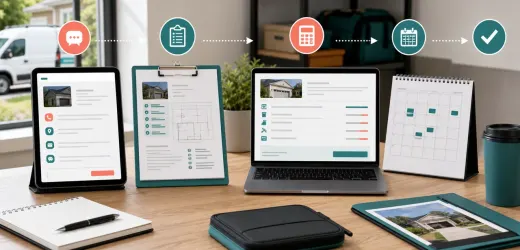
A practical AI lead follow-up system has six parts:
1. A lead source.
2. A central place to store the lead.
3. An AI summary step.
4. A routing rule.
5. A follow-up draft.
6. A human review step.
You can build this with a form tool, CRM, spreadsheet, email app, and automation platform. The exact tools matter less than the process.
Step 1: Choose one lead source
Do not connect every lead source on day one. Pick the highest-value or most common source:
- Website contact form.
- Quote request form.
- Facebook Lead Ads.
- Calendly booking.
- Support inbox.
- Live chat transcript.
- Direct email inquiry.
Start with one source so you can see problems clearly. Once the system works, duplicate it for other sources.
Step 2: Define the lead fields
AI works better when the data model is clear. Create fields such as:
- Name.
- Email.
- Phone.
- Company.
- Service interest.
- Budget range.
- Timeline.
- Location.
- Message.
- Source.
- Status.
- Owner.
- Next action.
If a field is missing, the AI should not guess. It should mark it as missing and suggest a question.
Step 3: Generate an internal lead summary
The first AI task should be internal. Ask it to summarize the lead in a short, structured format:
```
Lead summary:
- Need:
- Urgency:
- Budget signal:
- Best next step:
- Missing information:
- Suggested owner:
```
This summary helps a busy owner or sales person understand the request in seconds.
Step 4: Score the lead without overcomplicating it
You do not need a complex predictive model. Use a simple score from 1 to 5 based on practical signals:
- The lead describes a clear problem.
- The service requested matches your offer.
- There is a timeline.
- There is a budget or buying intent.
- The lead gave useful contact information.
AI can suggest the score, but keep the rule visible. If a score changes, the team should understand why.
Step 5: Route the lead
Routing can be simple:
- High-intent leads go to the owner or sales lead.
- Support-like requests go to support.
- Partnership messages go to operations.
- Spam or irrelevant messages are archived for review.
If the business has one person, routing still matters. It can set priority and create a task.
Step 6: Draft the first reply
The AI reply should be polite, specific, and short. It should not make promises about pricing, availability, guarantees, or discounts unless your approved source allows it.
Use a prompt like:
```
Write a first reply to this lead.
Use a helpful professional tone.
Mention the specific request.
Ask only for missing information that is needed for the next step.
Do not promise pricing or availability.
Keep it under 120 words.
```
The draft can appear in email, CRM notes, or a task. A human should send it at first.
Step 7: Add a follow-up timer
Most lead systems fail after the first reply. Add a timer:
- If no reply after 24 hours, create a follow-up task.
- If no reply after 3 days, send a short check-in draft.
- If no reply after 7 days, move the lead to nurture or closed-lost.
This is boring automation, and boring automation often makes the most money.
Step 8: Keep a clean audit trail
Every lead record should show:
- When the lead arrived.
- What the AI summarized.
- Who owned it.
- What draft was suggested.
- Who sent the actual message.
- What happened next.
This makes the system easier to trust and improve.
Example workflow
Here is a simple version:
1. A lead submits the website form.
2. The form creates a CRM record.
3. AI summarizes the message and suggests a score.
4. The automation assigns an owner.
5. The system drafts a reply.
6. The owner reviews and sends.
7. If there is no response, a reminder task is created.
If your team also publishes helpful articles, link the lead to useful content. For example, someone asking about automation might receive a relevant guide such as Zapier vs Make for AI automations.
What not to automate yet
Do not let the system:
- Quote prices automatically.
- Reject leads automatically.
- Send aggressive follow-ups.
- Make legal or financial promises.
- Hide AI-generated notes from the team.
The first version should assist the team, not replace judgment.
Metrics to track
Track these numbers weekly:
- Average first response time.
- Number of leads captured.
- Number of leads with an owner.
- Number of follow-ups completed.
- Booked calls.
- Closed deals from automated follow-up.
If response time drops and booked calls rise, the system is working.
Final setup checklist
Before turning it on, confirm:
- The lead source is connected.
- Required fields are defined.
- The AI prompt is short and specific.
- Every draft is reviewed by a human.
- Follow-up reminders are active.
- The team knows where to see new leads.
An AI lead follow-up system does not need to be fancy. It needs to be reliable, visible, and fast. Build the smallest version that prevents missed opportunities, then improve it from real data.
Build the next sales workflows
Once lead follow-up is reliable, connect it to the next sales and operations steps. This turns one automation into a full revenue workflow.
Recommended next guides:
- CRM Automation Ideas for Small Teams for lead ownership, stale lead views, and weekly summaries.
- AI Call Summary Workflow for Sales Teams for turning sales calls into CRM notes.
- AI Quote Request Automation for handling incomplete quote requests faster.
- AI Proposal Writing Workflow for turning discovery notes into clear proposals.
- AI Client Onboarding Workflow for what happens after a deal is won.


No comments yet.
Be the first to ask a question or add a useful note.