

Why sales calls need a workflow after the meeting
The value of a sales call is not only what happens during the conversation. The real value appears afterward: the CRM note, follow-up email, proposal, task list, and next action. Small teams often lose momentum here because the call ends and everyone moves to the next thing.
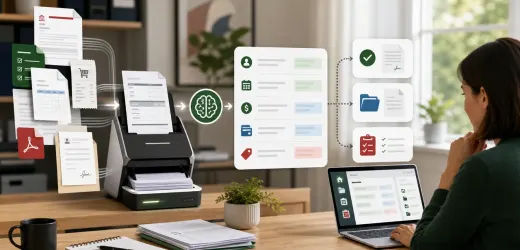
An AI call summary workflow fixes that handoff. It turns call notes or transcripts into structured outputs the team can use immediately.
This workflow supports AI lead follow-up, CRM automation ideas, and AI proposal writing.
What the workflow should produce
After every sales call, create:
- A short call summary.
- Customer goals.
- Pain points.
- Buying signals.
- Objections.
- Missing information.
- Next steps.
- CRM note.
- Follow-up email draft.
- Proposal brief if needed.
AI is especially useful because sales notes are messy. It can organize the conversation without forcing the sales person to write everything from scratch.
Step 1: Capture the source
The source can be:
- Meeting transcript.
- Call recording transcript.
- Manual notes.
- Chat notes.
- CRM activity note.
- Intake form plus call notes.
If you record calls, get proper consent and follow local laws. If you do not record, a structured manual note can still work.
Step 2: Use a fixed summary format
Use a consistent format:
```
Sales call summary:
- Customer goal:
- Current problem:
- Impact:
- Decision makers:
- Timeline:
- Budget signal:
- Objections:
- Missing information:
- Recommended next step:
```
Consistency makes summaries easier to scan and compare.
Step 3: Update the CRM
The workflow should add a CRM note and update fields when possible:
- Deal stage.
- Service interest.
- Next follow-up date.
- Lead priority.
- Proposal needed.
- Owner.
Do not let AI close a deal or mark a lead as qualified without review. Let it suggest changes, then require a human to confirm.
Step 4: Draft the follow-up email
A follow-up email should be quick and specific:
- Thank the prospect.
- Recap the key problem.
- Confirm the next step.
- Ask for missing information.
- Link to a relevant resource if useful.
Example: a prospect asking about lead capture could receive AI lead follow-up system as a helpful resource.
Step 5: Create proposal inputs
If the next step is a proposal, generate a proposal brief:
- Client problem.
- Recommended service.
- Desired outcome.
- Scope ideas.
- Risks.
- Assumptions.
- Questions before pricing.
This makes the proposal faster and safer to draft.
Step 6: Create tasks automatically
Common tasks:
- Send recap email.
- Prepare proposal.
- Ask for missing information.
- Schedule follow-up call.
- Update CRM.
- Send case study or guide.
Every task should have an owner and due date.
Safe AI prompt
Use:
```
Summarize this sales call for internal use.
Use only the transcript or notes.
Do not invent budget, timeline, objections, or promises.
Mark unknown details as missing.
Create a CRM note, follow-up email draft, and next-step task list.
```
This keeps the AI from turning guesses into records.
Metrics to track
Track:
- Time from call to follow-up.
- Calls with CRM notes.
- Proposal turnaround time.
- Follow-up task completion.
- Missing information rate.
- Closed deals influenced.
If follow-up speed improves, the workflow is working.
Final checklist
Before launch:
- Call source is captured.
- Summary format is fixed.
- CRM fields are mapped.
- Follow-up drafts require review.
- Tasks get owners.
- Proposal briefs mark missing details.
AI call summaries are not just notes. They are the bridge between conversation and revenue.


No comments yet.
Be the first to ask a question or add a useful note.