

Why small businesses need reporting that explains itself
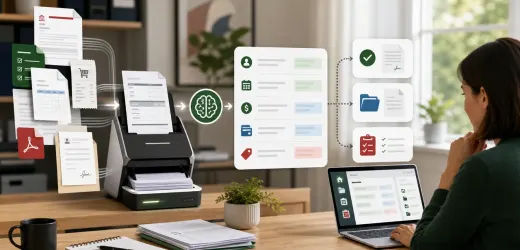
Dashboards often show numbers without telling the owner what changed or what to do next. A small business does not need a giant analytics system first. It needs a weekly reporting workflow that collects key numbers, explains movement, and creates action items.
AI can help by summarizing metrics in plain language. The automation should collect data consistently, while AI turns the data into a useful narrative.
This pairs well with CRM automation ideas, AI customer feedback analysis, and AI task management workflow.
Choose a small set of metrics
Start with:
- New leads.
- Booked calls.
- Proposals sent.
- Deals won.
- Support tickets.
- Published content.
- Website views.
- Review count.
- Overdue tasks.
- Revenue or invoices, if available.
A dashboard with ten useful metrics beats one with fifty ignored charts.
The weekly workflow
1. Pull metrics from tools or spreadsheets.
2. Compare them with last week.
3. Flag large changes.
4. AI writes a plain-language summary.
5. The workflow creates tasks for problems.
6. The owner reviews the summary.
The goal is decision support, not decorative reporting.
Use a clear summary format
Prompt:
```
Summarize this weekly business data.
Explain what improved, what declined, and what needs attention.
Do not invent causes.
If a metric needs investigation, say so.
Create up to five recommended next actions.
```
This prevents false certainty.
Create alerts
Useful alerts:
- Leads dropped sharply.
- Follow-up tasks are overdue.
- Support tickets increased.
- Proposal response is slow.
- Website traffic changed.
- Reviews mention the same complaint.
Each alert should create an owner or review task.
Turn reports into action
Examples:
- Leads down: publish or promote a relevant guide.
- Support up: improve knowledge base content.
- Proposals stuck: review follow-up timing.
- Tasks overdue: clean up ownership.
- Reviews negative: investigate the repeated theme.
Reporting should connect to execution.
What to avoid
Avoid making AI invent reasons for changes. It can suggest possible explanations, but it should mark them as hypotheses.
Avoid tracking metrics nobody uses.
Avoid hiding bad data quality.
Avoid sending reports without next steps.
Metrics to track for the workflow
Track:
- Reports generated.
- Alerts created.
- Actions completed.
- Metrics with missing data.
- Owner review completed.
- Time saved preparing reports.
If reports are not producing action, simplify them.
Final checklist
Before launch:
- Metrics are chosen.
- Data sources are known.
- Weekly cadence is set.
- AI summary format is fixed.
- Alerts create tasks.
- Missing data is visible.
- Owner reviews the report.
An AI reporting dashboard workflow gives small business owners a clearer weekly operating rhythm. The value is not the chart. It is knowing what to do next.


No comments yet.
Be the first to ask a question or add a useful note.