
Why email is still the automation center for small businesses
Most small businesses do not run on dashboards. They run on email. Leads arrive by email, customers ask questions by email, invoices arrive by email, vendors send updates by email, and internal decisions often happen in long threads.
That makes email a strong place to use AI automation. The goal is not to let AI take over the inbox. The goal is to help the team understand messages faster, route them correctly, draft useful replies, and follow up before opportunities disappear.
If you are building your first workflow, read AI automation for small business first. Email automation is one of the most practical examples because it touches sales, support, finance, and operations.
What AI should do in the inbox
AI is useful for messy text. In an inbox workflow, it can:
- Classify the message.
- Summarize long threads.
- Extract names, dates, amounts, and requested actions.
- Draft replies.
- Suggest priority.
- Detect missing information.
- Turn a message into a task.
Automation should handle the predictable parts:
- Move the email to the right label.
- Create a CRM record.
- Create a task.
- Notify the right person.
- Schedule a reminder.
- Log the outcome.
Keep this separation clear. AI reads and drafts. Automation routes and records.
Start with five email categories
Do not begin with twenty labels. Start with:
- New lead.
- Existing customer question.
- Support issue.
- Invoice or receipt.
- Partnership or vendor message.
Anything unclear can go to "Needs review." This keeps the workflow useful without forcing AI to guess.
Workflow 1: Lead email to CRM
When a new lead email arrives, the workflow should:
1. Detect that it is a lead.
2. Extract contact details.
3. Summarize the request.
4. Create or update the CRM record.
5. Draft a first reply.
6. Create a follow-up reminder.
This connects directly to the AI lead follow-up system. The email inbox becomes a lead source instead of a place where opportunities get buried.
Workflow 2: Support email triage
Support messages should be classified by issue type:
- Billing.
- Login or access.
- Technical issue.
- Refund or cancellation.
- Onboarding.
- Product question.
AI can draft an internal summary and suggest the right knowledge base article. If you already created support workflows, connect this to AI customer support automation and AI knowledge base automation.
Workflow 3: Invoice email processing
Invoice emails can trigger:
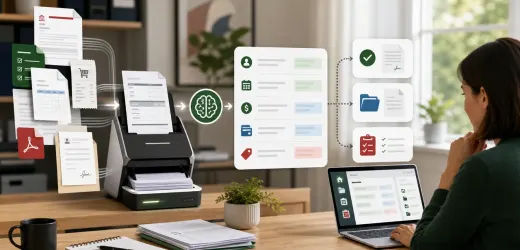
- Attachment storage.
- Invoice detail extraction.
- Duplicate check.
- Approval task.
- Due date reminder.
For finance workflows, use strict human approval. AI can extract and summarize, but it should not approve payment. The detailed process is in AI invoice processing automation.
Workflow 4: Meeting follow-up drafts
After a meeting, a team member can forward notes or a transcript to the workflow. AI can produce:
- Short recap.
- Decisions.
- Open questions.
- Next steps.
- Follow-up email draft.
This saves time and makes follow-up more consistent.
Workflow 5: Stale message reminders
One of the highest-value automations is also one of the simplest: if an important email has no reply after a set time, create a reminder.
Use rules like:
- New lead with no reply after 4 business hours.
- Customer question with no reply after 1 business day.
- Proposal follow-up after 3 days.
- Invoice approval pending after 2 days.
This workflow does not need advanced AI. It needs discipline.
A safe reply-drafting prompt
Use a prompt like:
```
Draft a reply to this email.
Use a helpful professional tone.
Mention the specific request.
Ask only for missing information needed for the next step.
Do not promise pricing, refunds, availability, legal advice, or timelines unless included in the approved context.
Keep it under 140 words.
```
Short prompts with clear limits usually perform better than vague instructions.
What not to automate
Do not fully automate:
- Refund decisions.
- Legal statements.
- Pricing exceptions.
- Sensitive complaints.
- Hiring decisions.
- Final proposals.
- Contract changes.
Create review tasks for these. Automation should make the team faster, not reckless.
Metrics to track
Track:
- First response time.
- Unanswered important emails.
- Lead emails captured.
- Support messages by category.
- Draft acceptance rate.
- Follow-up completion.
- Time saved per week.
If the team edits every AI draft heavily, the prompt or approved context needs work.
Final checklist
Before launch:
- Email categories are fixed.
- Important sources are known.
- AI summaries are structured.
- Drafts require review.
- Risky categories are escalated.
- Follow-up reminders are active.
- Results are checked weekly.
AI email automation is not about replacing the inbox. It is about turning the inbox into a calmer, faster operating system for the business.

No comments yet.
Be the first to ask a question or add a useful note.